Best iOS Terminal App for AI Coding Agents in 2026
Comparing Moshi, Blink Shell, Termius, and Prompt for remote development with Claude Code, GitHub Copilot, and Cursor
TL;DR: For AI coding agent workflows, use Moshi. It's the only iOS terminal with native mosh, an Agents feed with hooks and Live Activities, Apple Watch actions, an in-app diff viewer and web preview, multiplexer pickers for tmux/Zellij/Herdr, image paste, and voice input built for coding prompts. Blink Shell is a solid alternative if you don't need notifications.
AI coding agents like Claude Code, GitHub Copilot Coding Agent, and Cursor Background Agents are changing how developers work. But these agents run on servers, not phones—so your iOS terminal app becomes the critical interface between you and your AI assistant.
The right terminal app means the difference between seamless mobile approvals and frustrating reconnection loops. This guide compares the top iOS terminal apps for AI agent workflows.
What AI Coding Agents Need from a Terminal App
Before comparing apps, let's define what matters for AI agent workflows:
1. Connection Stability
AI agents run long tasks. A terminal that drops connections every time you switch apps or change networks means missed prompts and stalled agents.
Must have: mosh protocol support. SSH alone isn't enough for mobile.
2. Push Notifications
Your agent will need input—permission to run commands, architectural decisions, clarification on requirements. Without push notifications, you're polling your terminal manually.
Must have: Webhook-triggered notifications that wake your phone.
3. Fast Input Methods
When Claude asks "Should I run the database migration?", you need to respond quickly. Typing yes on a phone keyboard is fine. Typing complex instructions is painful.
Must have: Voice input that understands technical terms.
4. Session Persistence
Phone sleeps, apps get backgrounded, connections drop. Your terminal needs to recover instantly without losing context.
Must have: Automatic session reconnection, tmux integration.
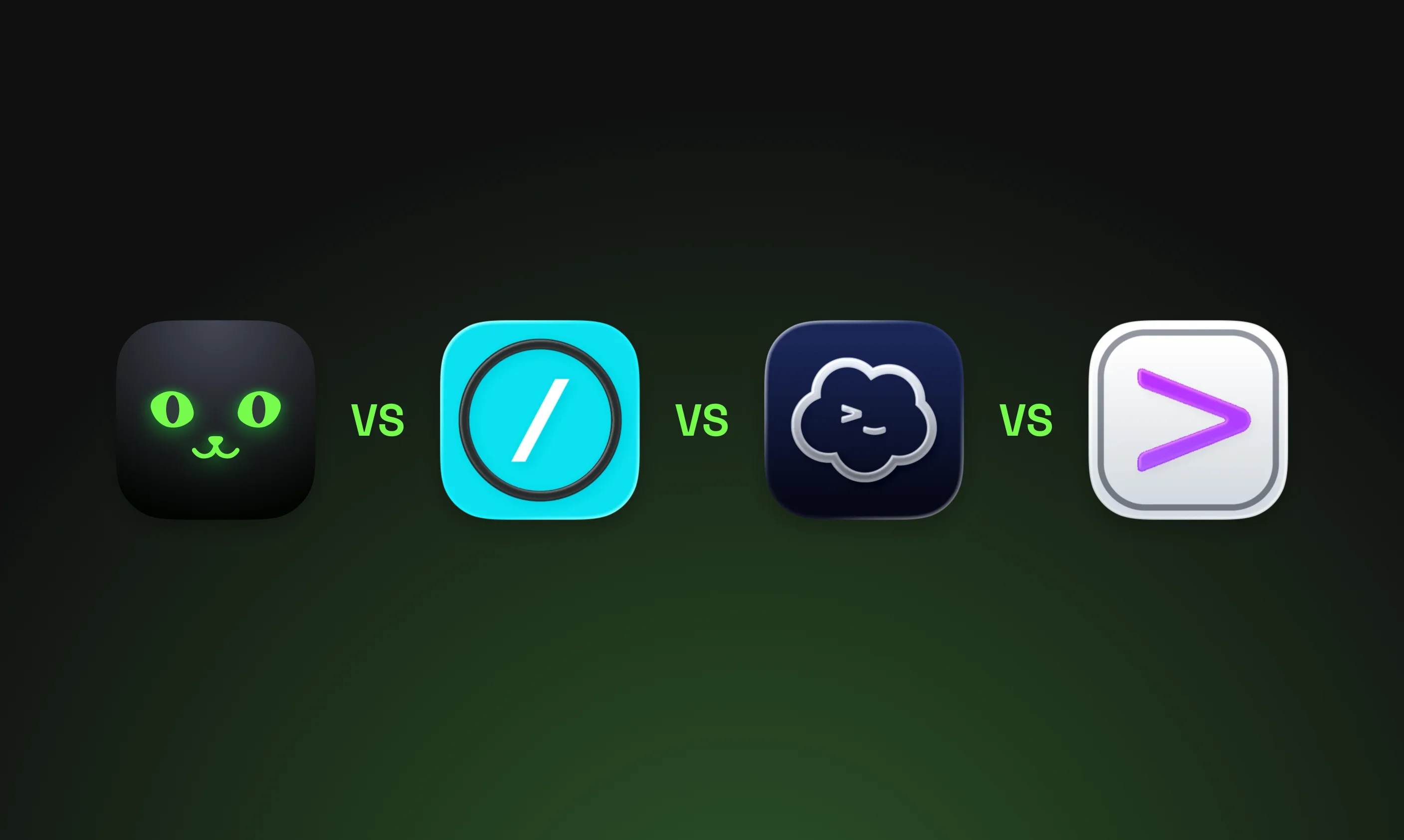
iOS Terminal App Comparison
| Feature | Moshi | Blink Shell | Termius | Prompt 3 |
|---|---|---|---|---|
| Protocol | mosh (native) | mosh | SSH + mosh | SSH only |
| Agent events | Agents feed, hooks, Live Activities | No | No | No |
| Diff viewer | Yes (in-app git diffs) | No | No | No |
| In-app web preview | Yes (localhost over SSH) | No | No | No |
| Voice input | Parakeet, Whisper, Apple, cloud | Prompt Mode (text→terminal) | No | No |
| Apple Watch | Yes (approve/deny, usage) | No | No | No |
| Multiplexer pickers | tmux, Zellij, Herdr | Manual | Manual | Manual |
| Image paste | Yes | No | No | No |
| Price | Free (Pro available) | Free (Blink+ $19.99/yr) | Free (Pro $10/mo annual) | $19.99 |
| Tailscale | Yes | Yes | Yes | No |
| Open Source | No | Yes | No | No |
Moshi: Built for AI Agent Workflows
Moshi is purpose-built for developers running AI coding agents on remote servers.
Native mosh Protocol
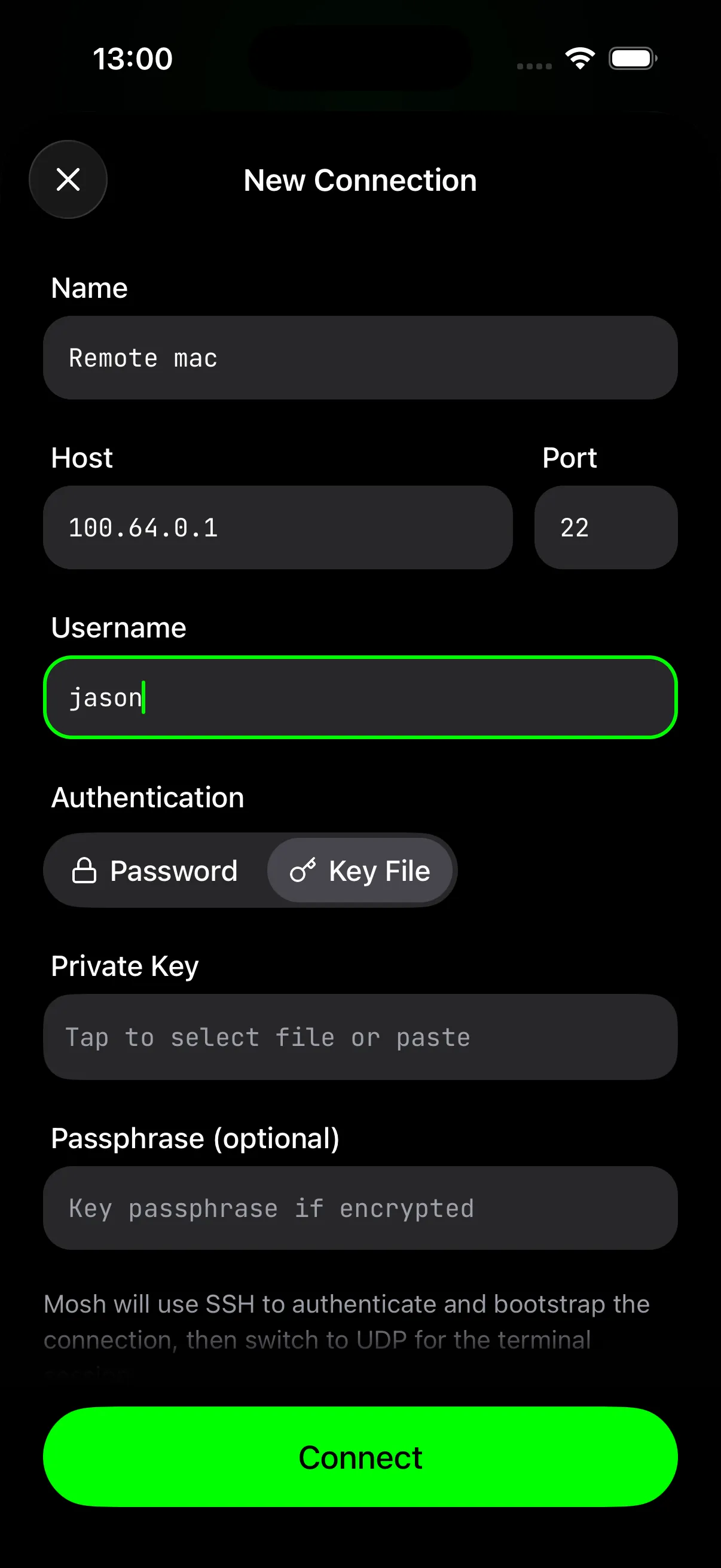
Moshi implements mosh directly—no shelling out to a subprocess. This means:
- Instant reconnection after network changes
- Local echo for responsive typing
- Survives WiFi → cellular → WiFi transitions
From the mosh research paper: on links with 29% packet loss, mosh reduced response time from 16.8 seconds to 0.33 seconds compared to SSH.
Agents Feed, Hooks, and Live Activities
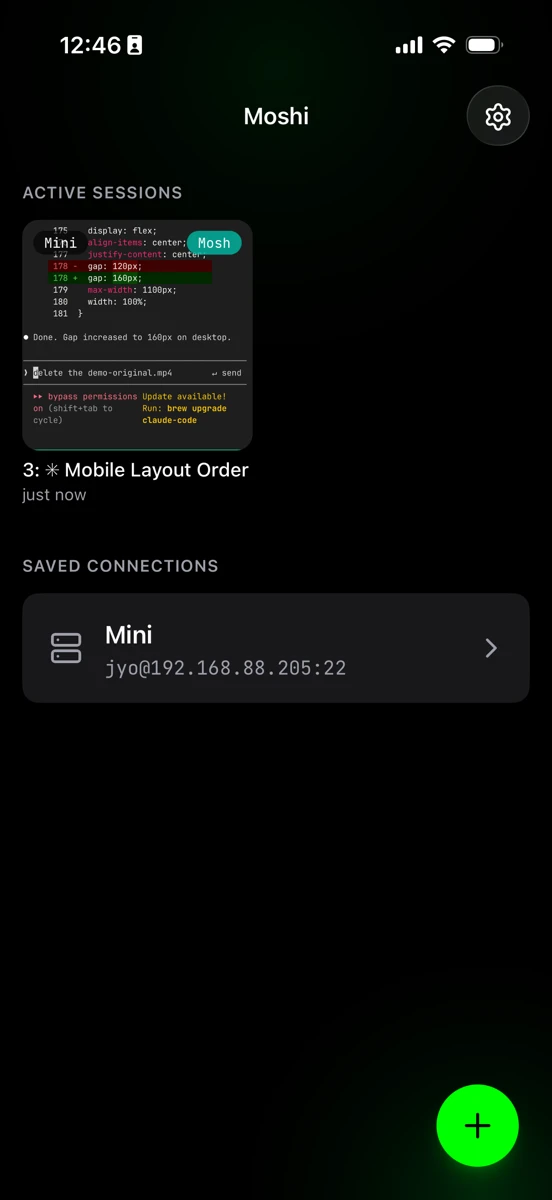
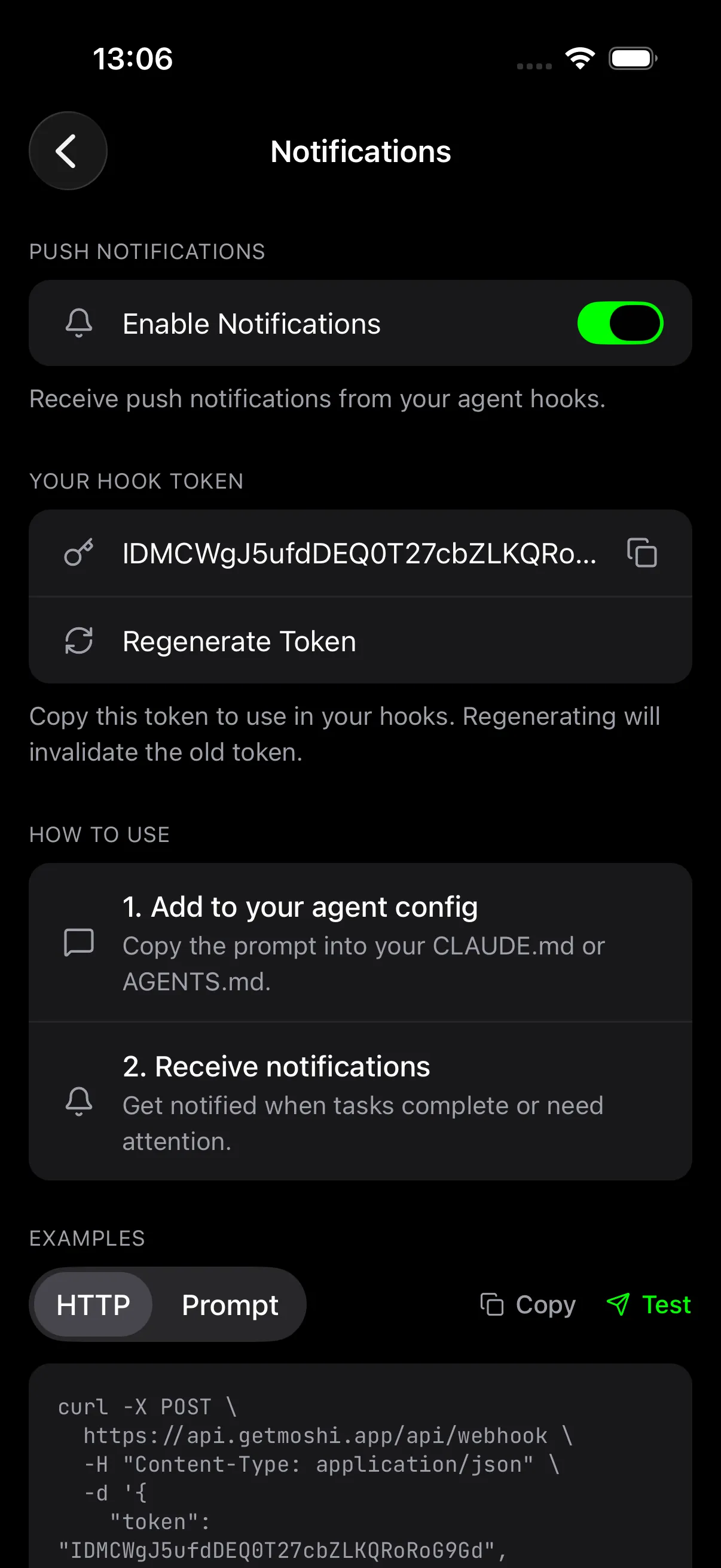
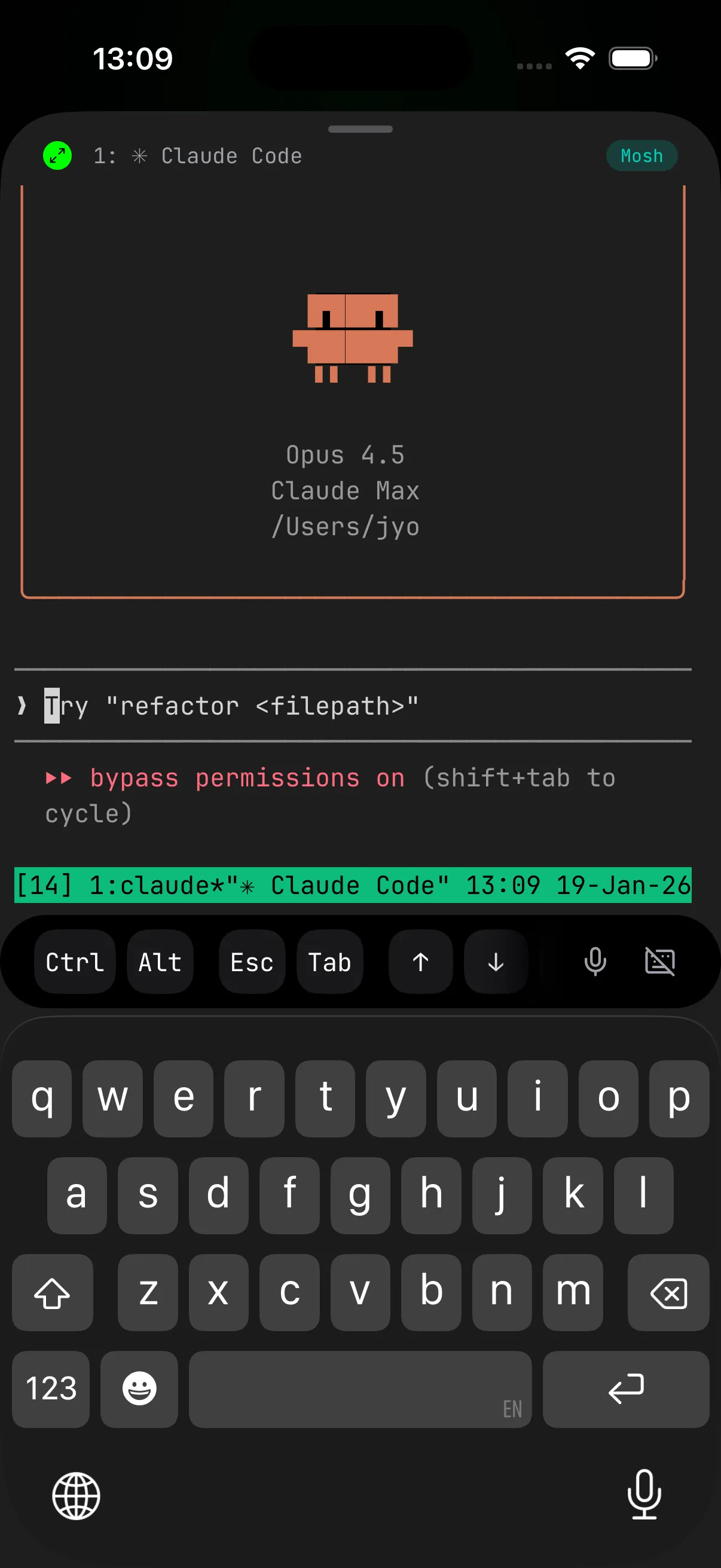
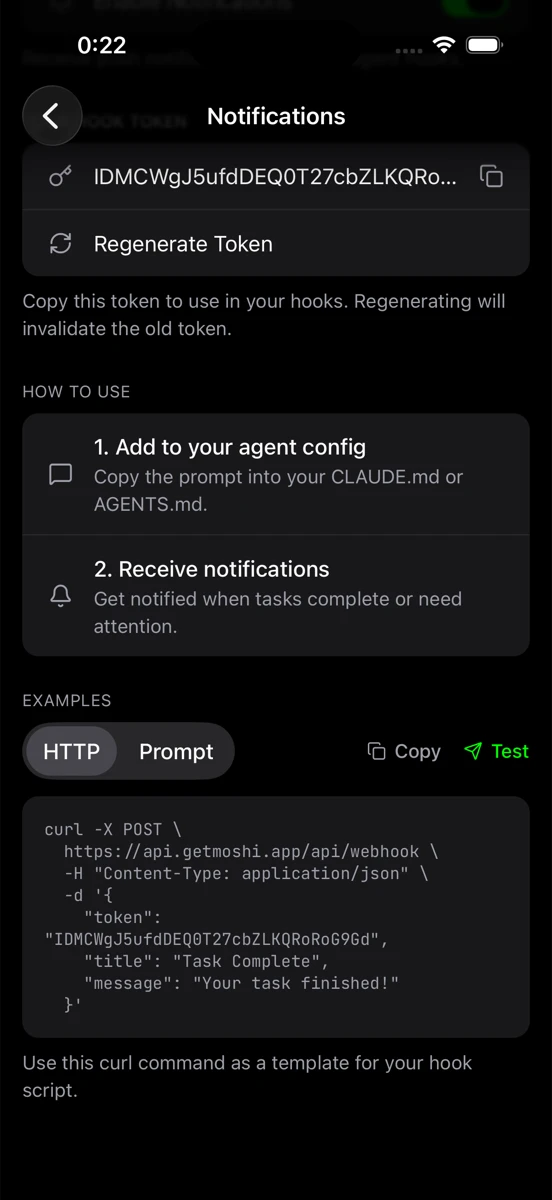
This is Moshi's killer feature for AI workflows. For supported agents, install moshi-hook so Claude Code, Codex, OpenCode, Cursor, Kimi, and Qwen can send structured approvals, questions, turn completions, tool errors, and usage snapshots to Moshi:
brew tap rjyo/moshi
brew trust rjyo/moshi
brew install moshi-hook
moshi-hook pair --token <token from Moshi>
moshi-hook install
brew services start moshi-hook
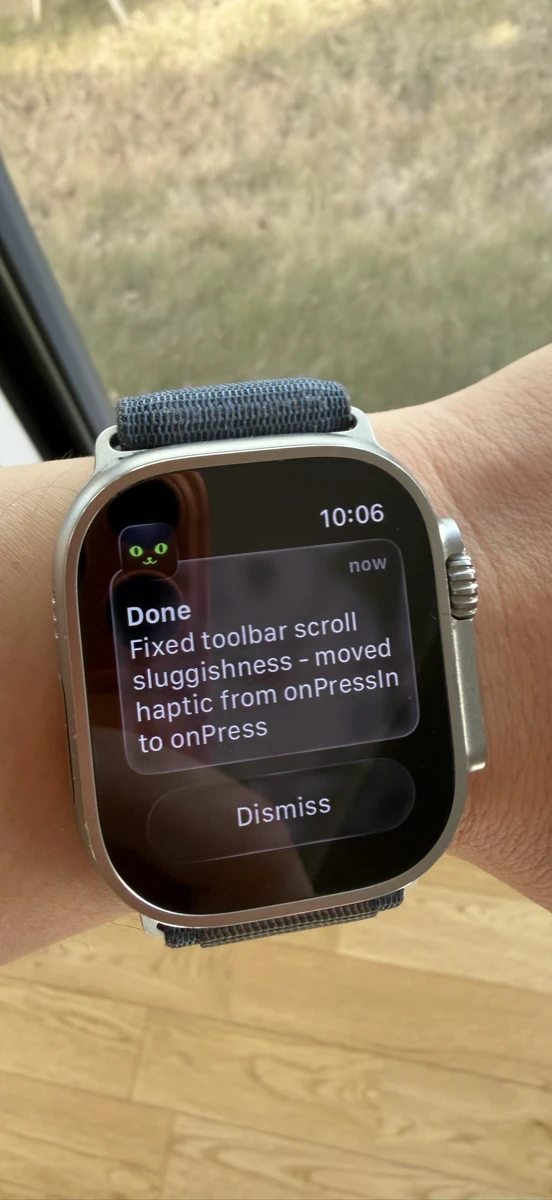
Those events appear in the Agents feed (renamed from Inbox in 3.2), can update Live Activities and Dynamic Island, and sync to Apple Watch. See Agent hooks and Live Activities, Agents & Usages, and Apple Watch.
Plain webhooks still work for scripts and unsupported agents:
curl -s -X POST https://api.getmoshi.app/api/webhook \
  -H "Content-Type: application/json" \
  -d '{"token": "YOUR_TOKEN", "title": "Claude", "message": "Need approval for npm install"}'
Add this to your project's CLAUDE.md:
## Notifications

When you complete a task or need input, notify me:

curl -s -X POST https://api.getmoshi.app/api/webhook \
  -H "Content-Type: application/json" \
  -d '{"token": "YOUR_TOKEN", "title": "Status", "message": "Brief summary"}'
Notifications go to your iPhone and Apple Watch. Hook events can be answered from the Agents feed or watch; webhook notifications still tap through to the relevant Moshi context.
Review Diffs and Preview Web Apps In-App
When an agent finishes a change, you usually want to see two things: what it touched and how it looks running. Moshi handles both without leaving the session.
The diff viewer renders the working tree of the repo you're connected to — staged, unstaged, and untracked — as a side-by-side git diff, served by moshi-hook on the host. Nothing is uploaded; diff contents stay on the machine you SSH'd into. Tap the button in the terminal title to review what Claude or Codex just did. See Diff viewer.
Browser preview turns any HTTP server moshi-hook sees on the host — next dev, vite, a Python runserver, Storybook — into one tap. The in-app browser loads it through a per-session SSH local-forward, so there's no ngrok, no public tunnel, and no port left exposed. See Browser preview.
tmux, Zellij, and Herdr — Multiplexer-Aware
A multiplexer is what keeps your agent running when the mobile connection drops. Moshi treats tmux, Zellij, and Herdr as first-class: it detects them on connect, lists their sessions in the picker, and ships a dedicated shortcut panel for each. Swipe left or right to switch between tmux windows, Zellij tabs, or Herdr tabs without reaching for the prefix key. Herdr adds agent-aware panes — Moshi can see which panes are blocked, working, or done. See Multiplexers for the full support matrix.
Voice Input for Coding Prompts
Moshi supports four engines: on-device Parakeet, Apple's on-device speech, local Whisper, and Moshi's hosted cloud transcription. This matters for AI workflows because:
- Engine choice: Parakeet is the recommended on-device engine for English and many European languages; switch to Whisper for broader language coverage, Apple for zero-download on-device speech, or cloud for maximum accuracy
- Technical accuracy: local Parakeet/Whisper and cloud transcription handle code, paths, and technical terms better than ordinary phone dictation
- Privacy control: local engines keep audio on device
- Works offline: local engines keep working in subways, airplane mode, and spotty cellular
When Claude asks for input, hold the microphone button, speak your response, release. Instant transcription, no autocorrect fighting.
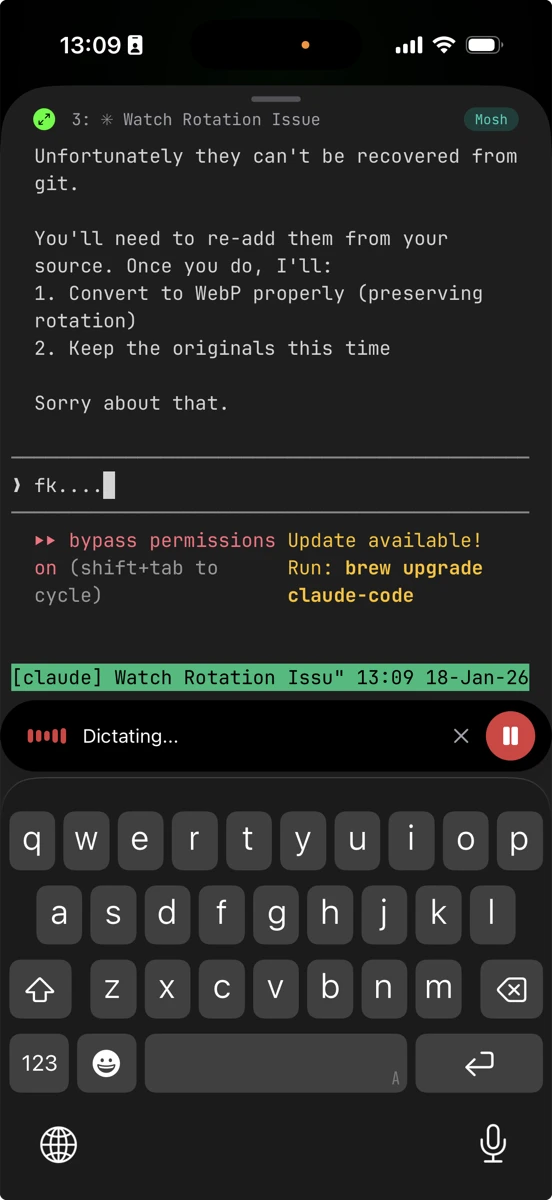
Image Paste for Visual Debugging
Moshi can paste a screenshot, photo, or clipboard image into an agent prompt as a short URL without scp, SFTP, or writing a temp file on the host. That makes mobile UI review and bug reports practical from iPhone. See Image paste.
Mobile-Optimized Keyboard
- Dedicated Ctrl, Esc, Tab, arrow keys
- Tmux prefix shortcuts (Ctrl+A, Ctrl+B)
- Swipe gestures for common operations
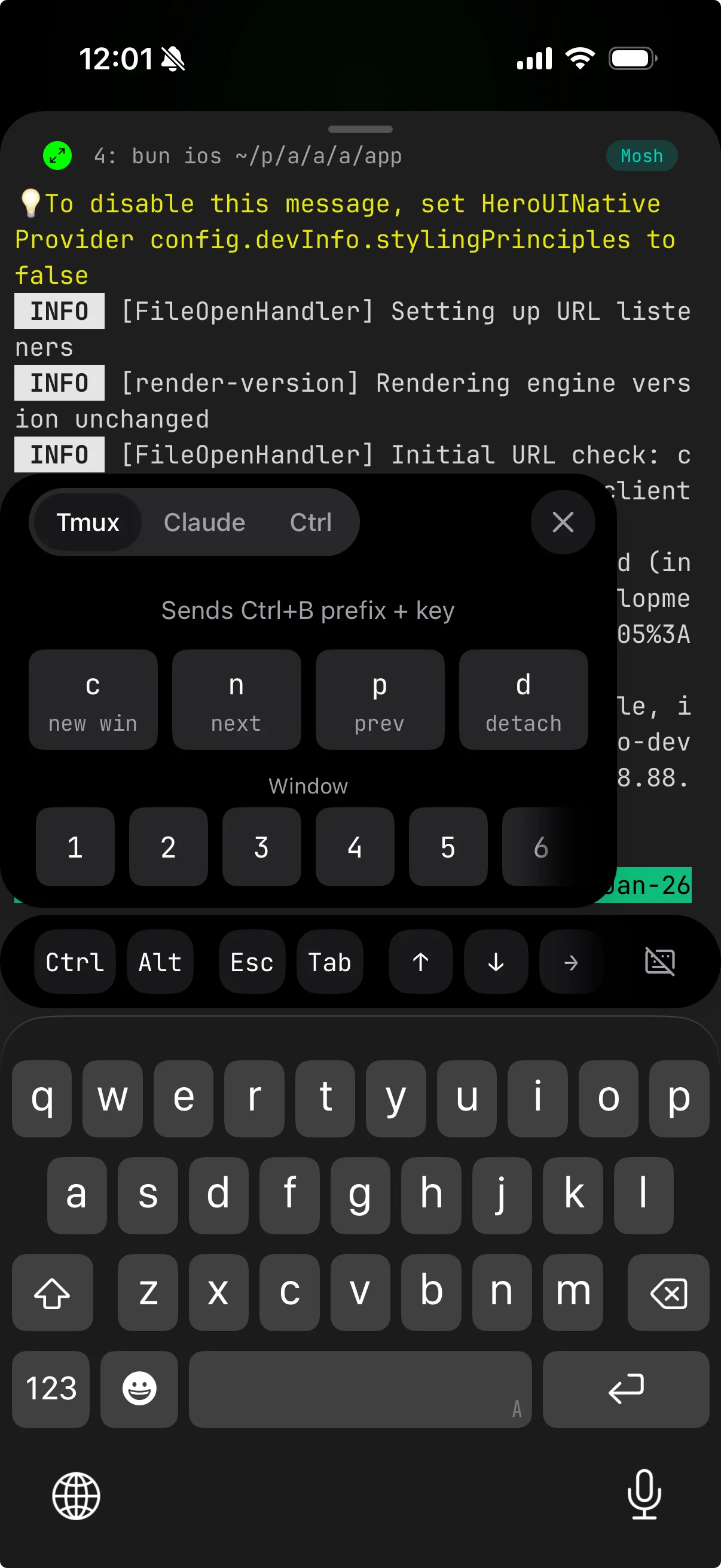
For a complete keyboard guide, see Mastering Moshi's Terminal Keyboard.
One Pro License Across iPhone, iPad, and Watch
If you run agents from more than one device, a single Moshi Pro purchase covers them. Up to three devices can join the same license to share cloud dictation quota, hosts, and unified push — so an agent's approval request fans out to your iPhone, iPad, and Apple Watch with per-device control over which ones ring. See Licensing and sharing and Push notifications.
Blink Shell: The Open Source Alternative
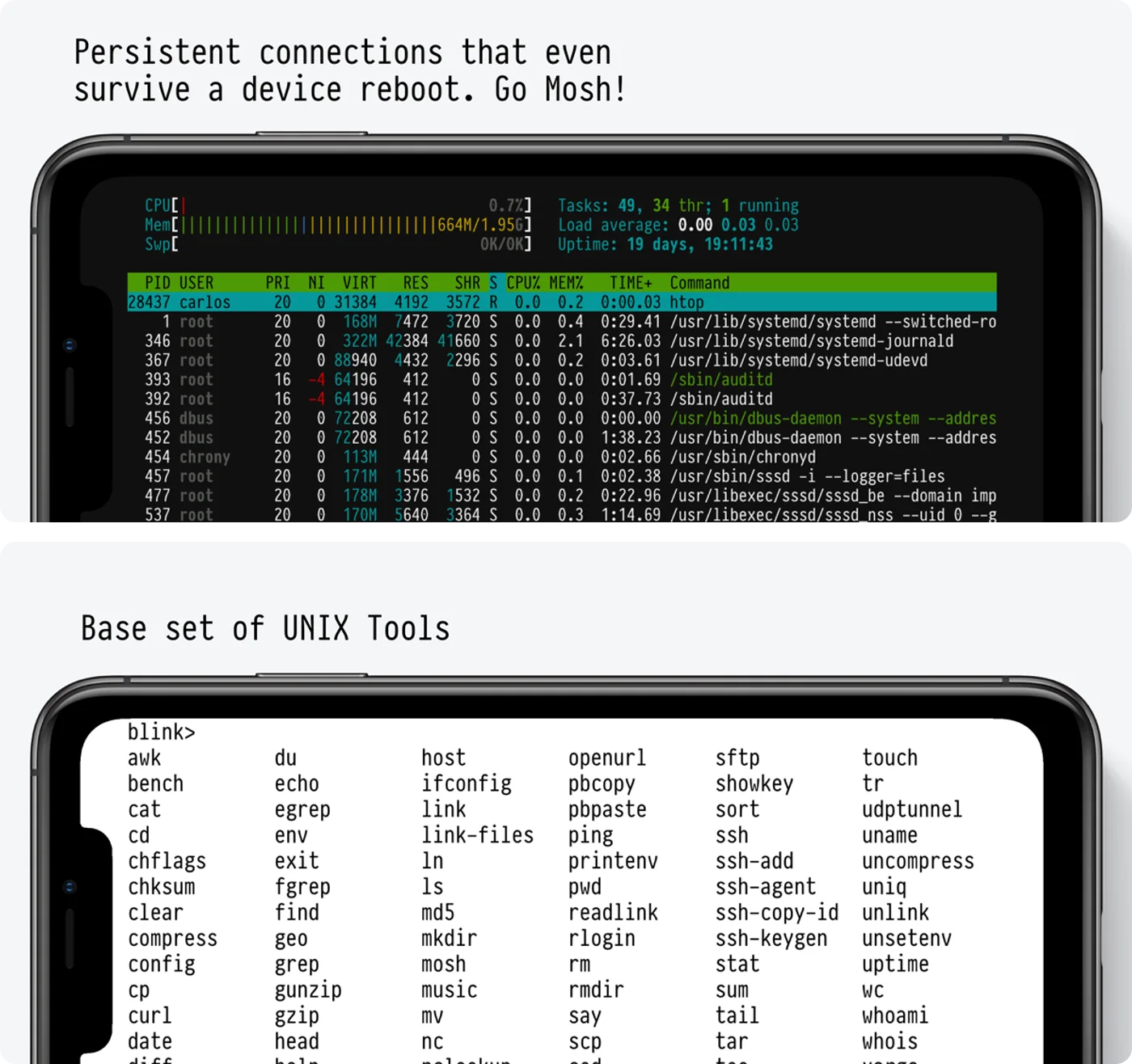
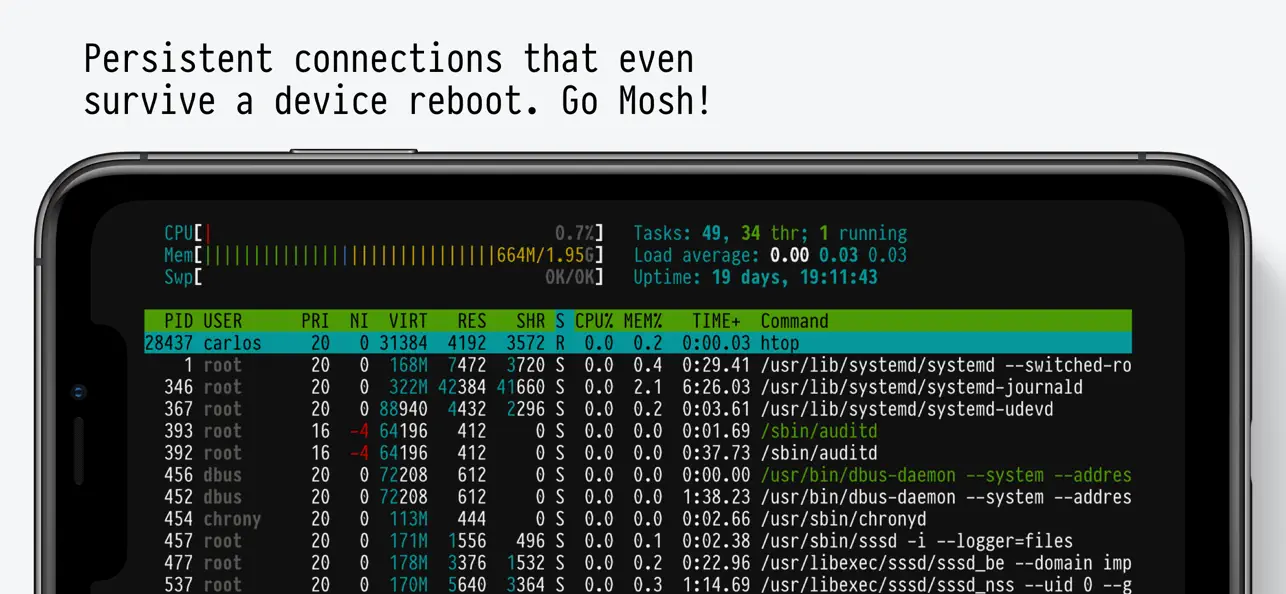
Blink Shell is a mature, open-source iOS terminal with excellent mosh support.
Strengths
- Native mosh: Same protocol benefits as Moshi
- Open source: Fully auditable, community-driven
- Tailscale integration: Built-in support for mesh VPN
- Files.app integration: Access local files from the terminal
- Customizable: Themes, fonts, key bindings
From Blink's documentation:
"You can pair with Tailscale and upgrade your connection from SSH to the more stable, more responsive Mosh protocol."
Limitations for AI Workflows
No push notifications: Blink can't notify you when your agent needs input. You have to manually check the terminal.
Limited voice: Blink's 2025 Prompt Mode adds voice dictation, but it types text into the terminal — it isn't agent-aware (no approvals, no on-device models, no chat/command modes).
When to Choose Blink
Blink is excellent if:
- You value open source
- You don't need push notifications or agent-aware approvals
- You want the deepest hands-on SSH and hardware-keyboard ergonomics
- You want the cheaper subscription
For a focused, feature-by-feature breakdown, see Moshi vs Blink.
Termius: The Cross-Platform Generalist
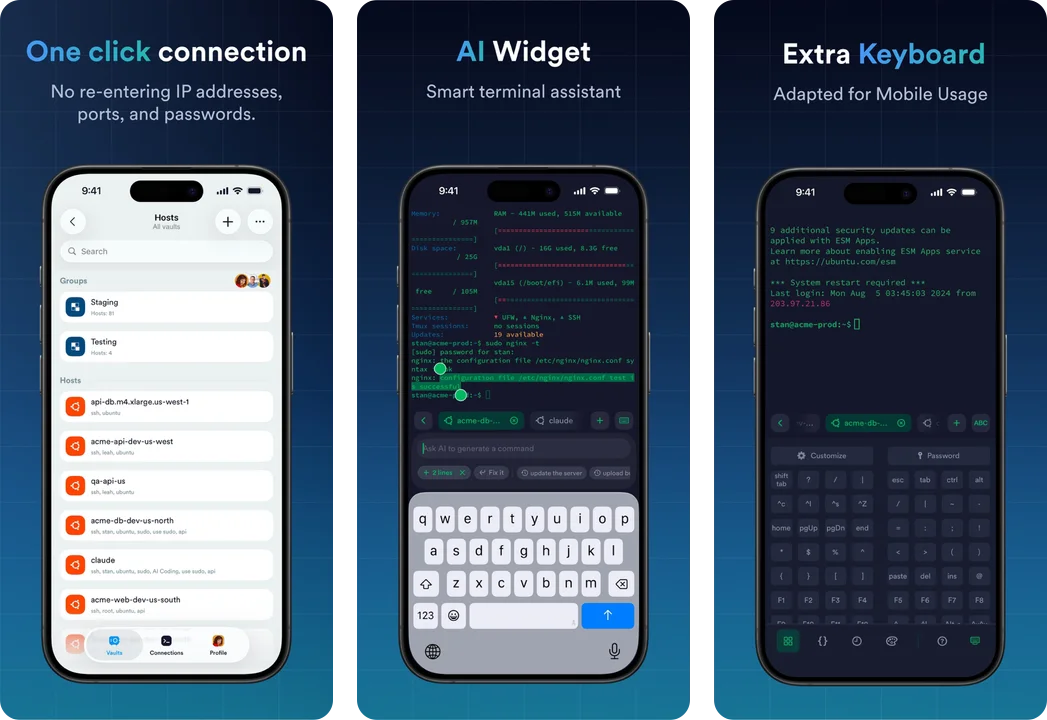
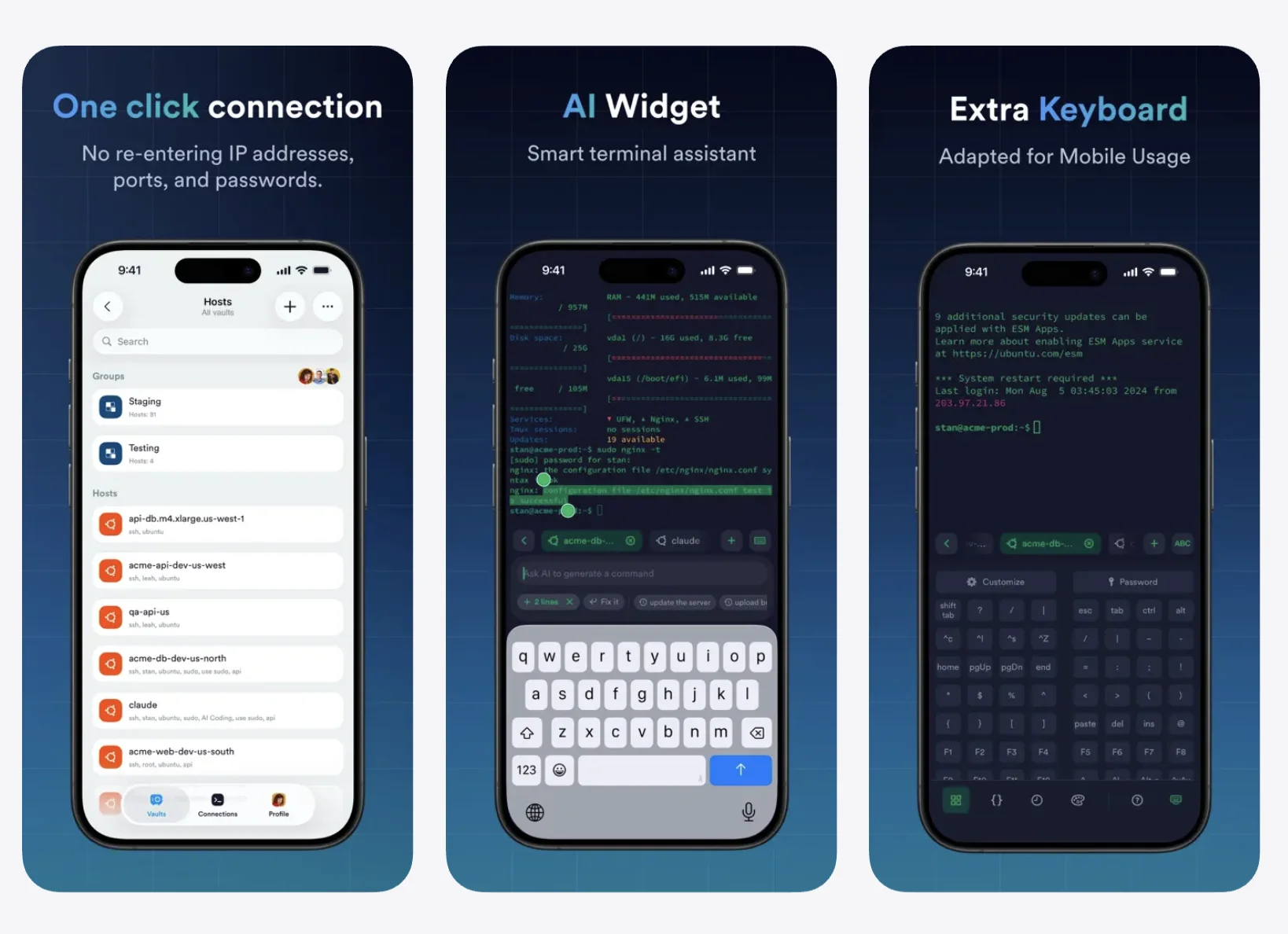
Termius is a polished SSH client with cloud sync across devices.
For a focused, feature-by-feature breakdown, see Moshi vs Termius.
Strengths
- Cross-platform sync: Same configuration on iOS, Android, Mac, Windows, Linux
- Team features: Shared hosts, credentials, snippets for teams
- SFTP: Built-in file browser, the best GUI of the group
- Mosh support: Added via Termius's own compatibility library, included in the free tier
- Modern UI: Clean, intuitive interface
Limitation: An SSH Client at Heart
Termius now speaks mosh, which fixes the historical "session dies when the phone sleeps" complaint. But its architecture is still that of an always-connected SSH manager: long-lived sessions lean on background keep-alives that cost battery, where mosh-native apps idle silently and catch up on return. (See Mosh vs SSH for why that difference exists.)
The bigger gap for this guide's workflow is the same one Blink has: Termius has no concept of an agent. No push when Claude Code is blocked on an approval, no diff viewer, no voice or image path into a prompt. With AI agents running long tasks, you're back to polling scrollback.
When to Choose Termius
Termius works if:
- You need the same client and host list on desktop and mobile
- You need team credential sharing
- SFTP file management is a daily-driver feature
- Your terminal time is hands-on server administration, not agents
Prompt 3: The Legacy Option
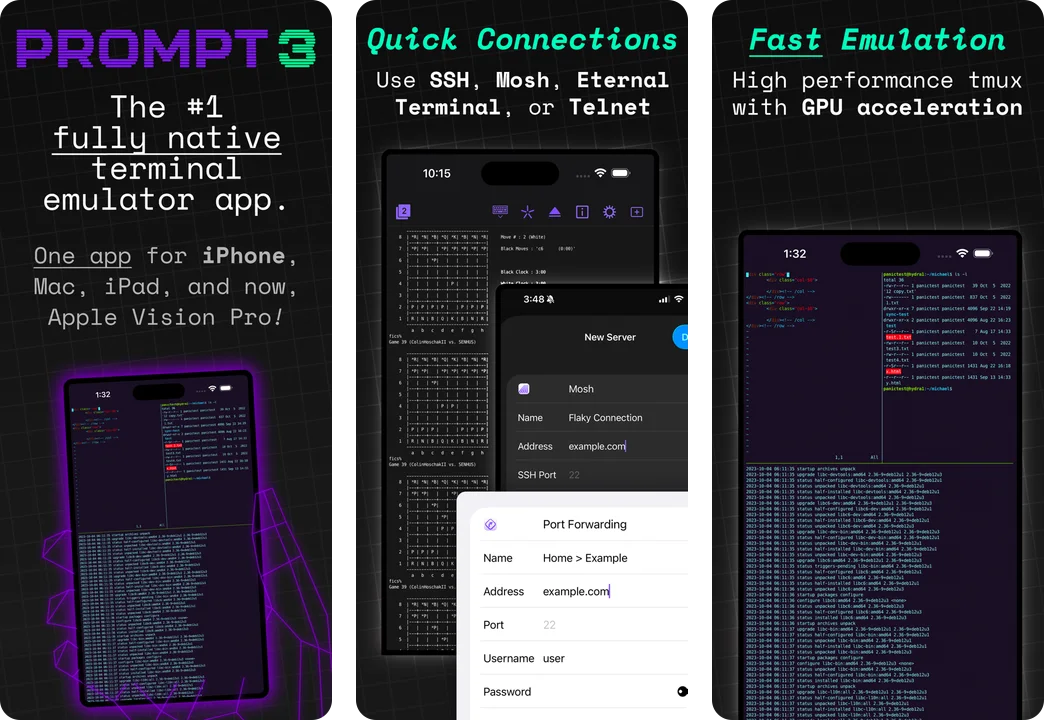
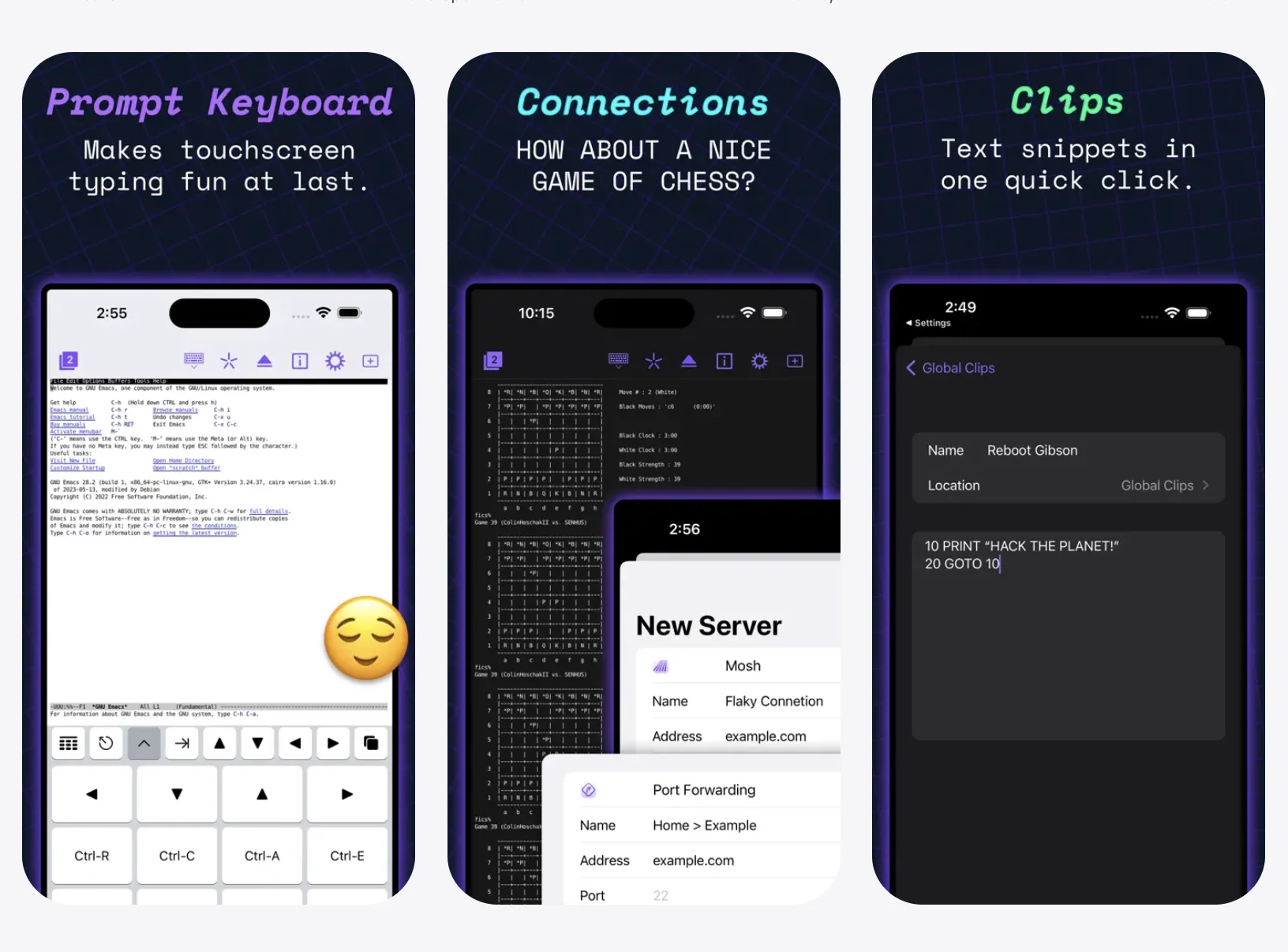
Prompt 3 from Panic is a long-standing iOS SSH client.
Strengths
- Reliable SSH: Battle-tested implementation
- Clips: Save and run command snippets
- Clean design: Panic's trademark polish
Limitations
- SSH only: Same network resilience problems as Termius
- No Tailscale integration: Manual configuration required
- No voice input: Relies on iOS dictation
- No notifications: Manual polling only
When to Choose Prompt
Prompt is fine for occasional SSH access on stable networks. For AI agent workflows with long-running tasks, it's not the right tool.
The Verdict: Which Terminal for AI Agents?
For AI Coding Agent Workflows → Moshi
If you're running Claude Code, GitHub Copilot agents, or Cursor background tasks:
- Agents feed, hooks, and Live Activities mean you're not polling
- mosh means stable connections
- Voice and image paste mean fast, high-context approvals
- Diff viewer and web preview mean you can review what the agent did and see it running — without leaving the session
For General Remote Development → Blink Shell
If you don't need notifications and prefer open source:
- Excellent mosh implementation
- Fully customizable
- Active community
- One-time purchase
For Team/Enterprise SSH → Termius
If you need credential sync across platforms and your work is hands-on SSH:
- Cross-platform sync
- Team sharing
- Modern UI
- Cloud-based config
Best iPad Terminal for AI Coding Agents
Everything in this comparison applies to iPad — and on a larger screen, the agent-review features stop being a compromise. Moshi is a universal app, so one Pro purchase covers your iPhone, iPad, and Apple Watch together.
Why the iPad screen changes the workflow
The diff viewer and browser preview are where the extra space pays off. A side-by-side git diff is genuinely readable on an iPad, and a running next dev, vite, or Storybook preview looks the way it does on your laptop — so you can review what Claude or Codex built without walking back to a desk.
Multitasking with Stage Manager and Split View
Keep Moshi open beside Safari, a spec, or your notes while an agent works. With Stage Manager on iPad Pro and Split View on any modern iPad, the terminal stays live in a window instead of taking over the screen, and approvals and Live Activities keep arriving while you read.
Hardware keyboard, plus voice for the quick stuff
Pair a Magic Keyboard or Folio and Moshi turns into a real coding surface: a dedicated Ctrl/Esc/Tab/arrow row, tmux prefix shortcuts, and swipe-to-switch between windows. For one-line approvals you don't even need the keyboard — hold the mic and speak the answer.
mosh still matters on iPad
iPads sleep aggressively and roam between WiFi networks, which is exactly where SSH-only clients like Prompt freeze. Moshi's native mosh reconnects instantly, so an agent that finishes while the iPad is asleep is one tap away instead of a reconnect loop.
For iPad-first agent workflows, Moshi is the pick. If you want open source and live mostly on a hardware keyboard, Blink Shell is the strong iPad alternative. The dedicated best iPad terminal roundup covers the whole field, local shells included.
Setting Up Your Terminal for AI Agents
Whichever terminal you choose, the Mac setup is the same:
Mac Configuration
# Install mosh, tmux, and Moshi agent hooks
brew install mosh tmux moshi-hook

# tmux config for AI workflows
cat >> ~/.tmux.conf << 'EOF'
set -g history-limit 50000
set -g mouse on
set -g set-titles on
set -g set-titles-string "#S:#W"
set -g prefix C-a
unbind C-b
bind C-a send-prefix
EOF

# Pair hooks, then start a persistent session
moshi-hook pair --token <token from Moshi>
moshi-hook install
brew services start moshi-hook
tmux new -s dev
Project Configuration
For supported agents, moshi-hook install writes the integration entries. Use a manual webhook in CLAUDE.md or AGENTS.md only for scripts or unsupported agents:
## Notifications

When you complete a task or need input, notify me:

curl -s -X POST https://api.getmoshi.app/api/webhook \
  -H "Content-Type: application/json" \
  -d '{"token": "YOUR_TOKEN", "title": "Status", "message": "Brief summary"}'
Network Setup
Use Tailscale for reliable access from anywhere:
# Mac
brew install tailscale
sudo tailscale up --ssh

# iPhone
# Install Tailscale app, join your tailnet
FAQ
Can I use Claude Code on my iPhone?
Yes, but indirectly. Claude Code runs on a server; you connect via terminal. The experience depends entirely on your terminal app's connection stability and input methods.
Is mosh really necessary?
For mobile connections, yes. SSH over cellular or switching networks is unreliable. mosh was specifically designed for intermittent connectivity.
What about battery life?
mosh is efficient—it only sends screen diffs, not full redraws. Blink and Moshi both handle backgrounding well without excessive battery drain.
Can I review what the agent changed from my phone?
In Moshi, yes. The in-app diff viewer renders the repo's git diff served by moshi-hook on the host, and browser preview opens any local dev server over an SSH forward. Neither uploads anything off the machine you're connected to. The SSH-only apps have no equivalent.
Which multiplexers does Moshi support?
tmux, Zellij, and Herdr — with detection on connect, a native session picker, per-multiplexer shortcut panels, and swipe-to-switch between windows and tabs. Other terminals run tmux through plain shell commands but don't surface it as a picker.
Can I use a Bluetooth keyboard?
All these apps support external keyboards. This significantly improves the coding experience, but you'll still want voice input for quick approvals when mobile.
What's the best terminal app for iPad?
The same ranking applies — Moshi for agent workflows, Blink Shell for open source — but the iPad's larger screen makes the diff viewer, browser preview, and Stage Manager multitasking genuinely useful. One Moshi Pro license covers iPhone, iPad, and Apple Watch.
Conclusion
AI coding agents are only as productive as your availability. When Claude needs approval at 3 PM and you're away from your desk, the right iOS terminal means:
- Get notified immediately
- Connect in seconds
- Approve by voice
- Agent continues working
For that workflow, Moshi is purpose-built. For general remote development, Blink Shell is excellent. For team SSH needs, Termius works.
Choose based on your workflow. Then get back to building.
Related Articles
- Claude Code & Codex as a Native Chat — Moshi's Chat View, explained
- Best iPad Terminal App — the same field through an iPad lens, local shells included
- Blink Shell vs Termius — the two incumbents compared head to head
- Mosh vs SSH — why the protocol decides your mobile experience
- Moshi vs Claude Code Remote Control — free first-party Claude remote vs cross-vendor agent terminal
- Moshi vs Termius — the focused, in-depth comparison
- Moshi vs Blink — the other Mosh-native iOS terminal, head to head
- Moshi vs Secure ShellFish — versus the Files.app SFTP champion that added agent support
- Moshi vs Happy — versus the free, open-source Claude Code client
- Moshi vs Kittylitter — versus the open-source, Codex-first agent client
- My Daily Moshi Workflow — how to organize tmux windows for AI agents
- Mastering Moshi's Terminal Keyboard — shortcuts, modifiers, and voice input
- Complete Remote Coding Setup — mosh, tmux, Tailscale overview
- Using Your Mac as a Remote Agent — always-on server setup
- Moshi Agent Hooks — Agents feed, Live Activities, usage, and Apple Watch
- Diff viewer — review agent git changes in-app
- Browser preview — open localhost dev servers over SSH
- Image paste — send screenshots and photos to agents